If you have applied for a Mozambique eVisa and want to know where your application stands, you can check your visa status online in just a few minutes. The Mozambique government, through VFS Global, provides an official online tracking portal where applicants can monitor their eVisa application in real time. This guide explains exactly how to check your Mozambique visa status, what each status means, and what to do if your application is delayed or rejected.
How to Track Your Mozambique eVisa Application Status
The official way to check your Mozambique visa status is through the VFS Global eVisa tracking portal. Follow these steps:
-
Go to the official tracking page. Visit the Mozambique eVisa status tracker at https://mnzonline.vfsevisa.com/moz/en/track-status. This is the only official portal managed by VFS Global on behalf of Mozambique immigration authorities.
-
Enter your application reference number. You received this reference number when you submitted your eVisa application. It was included in your confirmation email.
-
Provide your passport number. Enter the passport number you used when applying for the eVisa.
-
Complete the CAPTCHA verification. Solve the security code shown on screen.
-
Click “Check Status.” The system will display the current status of your Mozambique eVisa application.
You can check your status at any time, 24 hours a day, 7 days a week. The tracking portal is always available and updates in real time as your application progresses through the review process.
Mozambique eVisa Application Statuses Explained
When you check your Mozambique visa status, you will see one of the following statuses:
Under Review
Your application has been received and is being processed by Mozambique immigration authorities. This is the most common status during the standard processing period. No action is required from you at this stage.
Approved
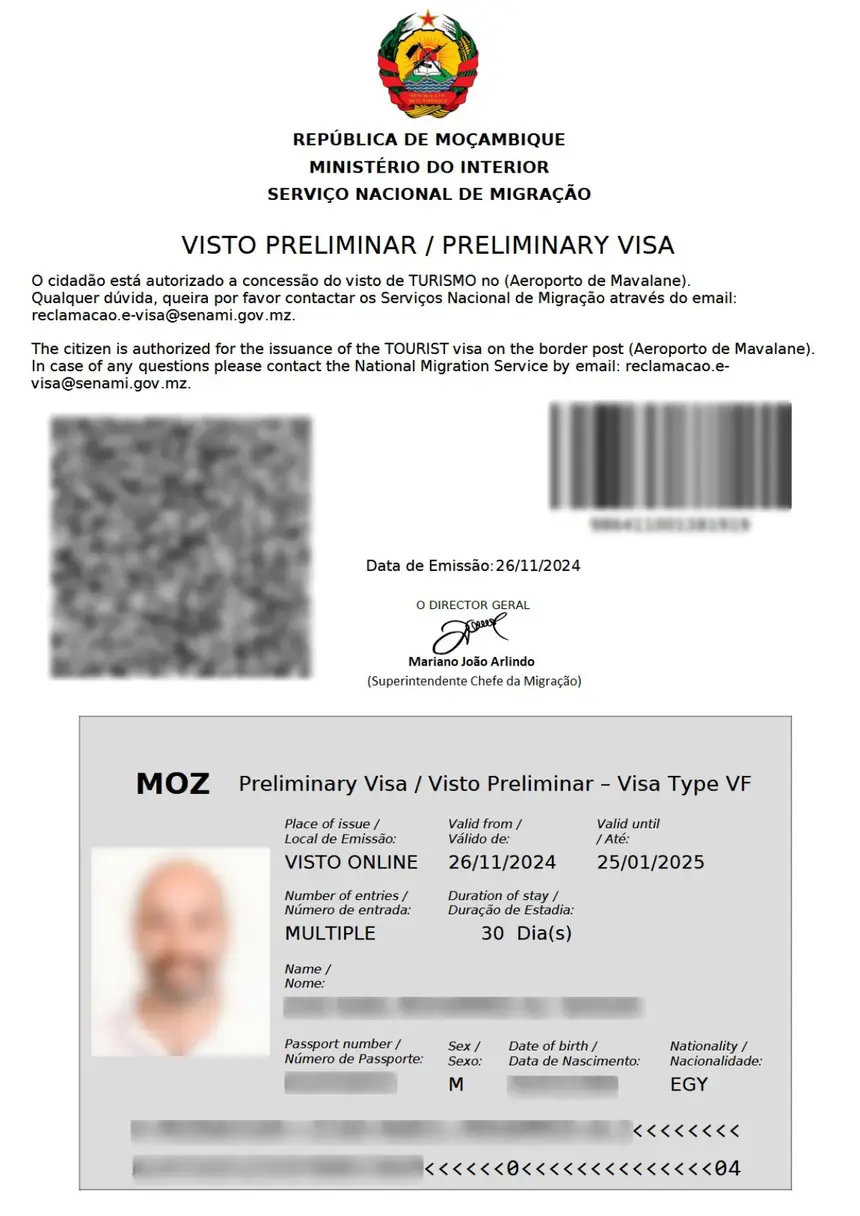
Your eVisa has been approved. You will receive the approved eVisa document by email as a PDF attachment. Print a copy and keep it with your travel documents. You must present either a hard copy or a soft copy of the eVisa upon arrival at the Mozambique entry point.
Preliminary Rejection (Missing Documents)
If your application has missing or incorrect documents, you will receive a preliminary rejection email specifying which documents are needed. You have 5 calendar days from the date of that email to upload the required or corrected documents through the application system. If you fail to upload within the 5-day window, your application will be automatically rejected.
Rejected
Your eVisa application has been denied by Mozambique immigration authorities. This decision is made solely at the government’s discretion. Application fees are generally non-refundable, even if the application is rejected. If your eVisa is rejected, you can still apply for a sticker visa at the nearest Mozambique embassy or consulate.
Cancelled
Your application has been cancelled. Contact the support team through the official portal for more details about the cancellation.
How Long Does It Take to Get a Mozambique eVisa?
Standard eVisa processing takes approximately 5 business days after you submit your application and complete the payment. However, processing times can vary depending on the volume of applications and the completeness of your submitted documents.
For the Electronic Travel Authorization (ETA), which is required for certain visa-exempt nationalities, processing is faster. It is recommended to apply at least 48 hours before your planned departure.
Important: Apply for your eVisa at least 3 to 5 days before your trip to allow sufficient time for processing and potential document rectification. If your travel date is approaching and you have not received your eVisa, check your status online and also check your email inbox, including spam and junk folders.
Where to Check Your Mozambique Visa Status
There are several ways to track your Mozambique visa status depending on how you applied:
Official Government Portal (evisa.gov.mz)
If you applied directly through the official Mozambique eVisa portal at evisa.gov.mz, you can track your application at the VFS Global tracking page: mnzonline.vfsevisa.com/moz/en/track-status. Enter your application reference number and passport number to view your status.
VFS Global Tracking Portal
VFS Global manages the Mozambique eVisa system on behalf of the government. Their dedicated tracking portal at visa.vfsglobal.com/moz/en/nld/track-application also allows you to check your application status.
Third-Party Visa Services
If you applied through a visa agency or third-party service such as mozambique-evisa.com or JsdBiz, log into your account on their platform to check your application status. Each service has its own tracking portal where you can enter your order ID and passport number.
What Information Do You Need to Check Your Status?
To check your Mozambique visa status online, you will need the following:
- Application reference number – provided in your confirmation email when you submitted the application
- Passport number – the passport you used for the eVisa application
- Email address – the email you registered with (sometimes required)
Keep your confirmation email saved so you always have your reference number available. If you cannot find your reference number, contact the support team through the official portal.
Common Issues When Checking Mozambique Visa Status
I Cannot Find My Application Reference Number
Check your email inbox, including spam and junk folders, for the confirmation email you received when you submitted your application. The reference number is included in that email. If you still cannot find it, contact VFS Global support through the official portal.
My Status Has Been “Under Review” for a Long Time
Standard processing takes about 5 business days, but it can take longer during peak travel seasons or if additional verification is needed. If your application has been under review for more than 10 business days, contact the support team through the official portal.
I Did Not Receive My Approved eVisa by Email
Check all email folders including spam, junk, and promotions. If you still cannot find it, log into the tracking portal and check if the status shows “Approved.” You may be able to download the eVisa directly from the portal. You can also reprint your eVisa by accessing the online website.
My Application Was Rejected Due to Missing Documents
If you received a preliminary rejection, you have 5 calendar days to upload the missing or corrected documents. Log into the application system and upload the required files. Ensure each file meets the required format (JPEG, PDF, or PNG) and size limit. If you miss the 5-day deadline, you will need to submit a fresh application.
Mozambique eVisa vs ETA: What Is the Difference?
Understanding the difference between an eVisa and an ETA helps you know what to expect when checking your status:
| Feature | eVisa | ETA |
|---|---|---|
| What it is | A full visa issued online | A pre-travel authorization |
| Who needs it | Citizens of countries that require a visa | Citizens of certain visa-exempt countries |
| Purpose | Tourism, business, sport, culture, investment | Short stays for visa-exempt travellers |
| Processing time | Approximately 5 business days | At least 48 hours before departure |
| Validity | 2 months from date of issuance | Varies |
| Duration of stay | 30, 60, or 90 days | Short stays as per exemption rules |
Tips for a Smooth Mozambique eVisa Application
- Apply early. Submit your eVisa application at least 3 to 5 days before your planned travel date.
- Check your email regularly. Monitor your inbox, spam, and junk folders for updates from the Mozambique eVisa system.
- Keep documents ready. Ensure your passport is valid for at least 6 months and have digital copies of all required documents (passport bio page, photo, hotel booking, return tickets, bank statements).
- Print your eVisa. Once approved, print two copies of your eVisa and save a digital copy on your phone.
- Use the correct tracking portal. Only use the official VFS Global tracking page to check your status. Avoid unofficial websites that may charge unnecessary fees.
Frequently Asked Questions
How do I check my Mozambique visa status online?
Go to the official VFS Global tracking portal at mnzonline.vfsevisa.com/moz/en/track-status, enter your application reference number and passport number, and click “Check Status.”
How long does a Mozambique visa take to process?
Standard Mozambique eVisa processing takes approximately 5 business days. The ETA for visa-exempt nationals requires at least 48 hours before departure.
Can I check my eVisa status without a reference number?
You need your application reference number to check your status online. If you have lost it, check your confirmation email or contact the support team through the official portal.
What should I do if my Mozambique eVisa is rejected?
If your eVisa is rejected, you can apply for a sticker visa at the nearest Mozambique embassy or consulate. Application fees are non-refundable.
Is there a fee to check my Mozambique visa status?
No. Checking your visa status through the official VFS Global portal is completely free. Be cautious of unofficial websites that charge fees for status checks.
Can I track my Mozambique visa status on my phone?
Yes. The VFS Global tracking portal is accessible from any device with an internet connection, including smartphones and tablets.
What does “Under Review” mean for my Mozambique eVisa?
“Under Review” means your application has been received and is being processed by Mozambique immigration authorities. This is normal during the standard 5-business-day processing period.
Can I change my travel dates after applying for a Mozambique eVisa?
No. If your travel dates change, you must obtain a new eVisa. The eVisa must be used within the validity period specified on the preliminary visa.